How to use
Set up the cart in five steps.
Works on any Shopify plan. No app to install, no API token.
Place the three parts.
Put Cart Drawer in your layout template once. Put Cart Button in your nav. Add To Cart goes on product cards and product pages.
Cart Drawer stays closed until someone opens the cart. On the canvas it shows the open drawer so you can style it.
Connect your store.
Select Cart Drawer and type your-store.myshopify.com into Shopify store. Your shop’s own domain works too.
Building before your store is ready? Turn on Demo mode. Check out then shows the link it would open, instead of a disabled button.
Find each Variant ID.
In Shopify admin, open a product, then a variant. The number at the end of the address is the Variant ID.
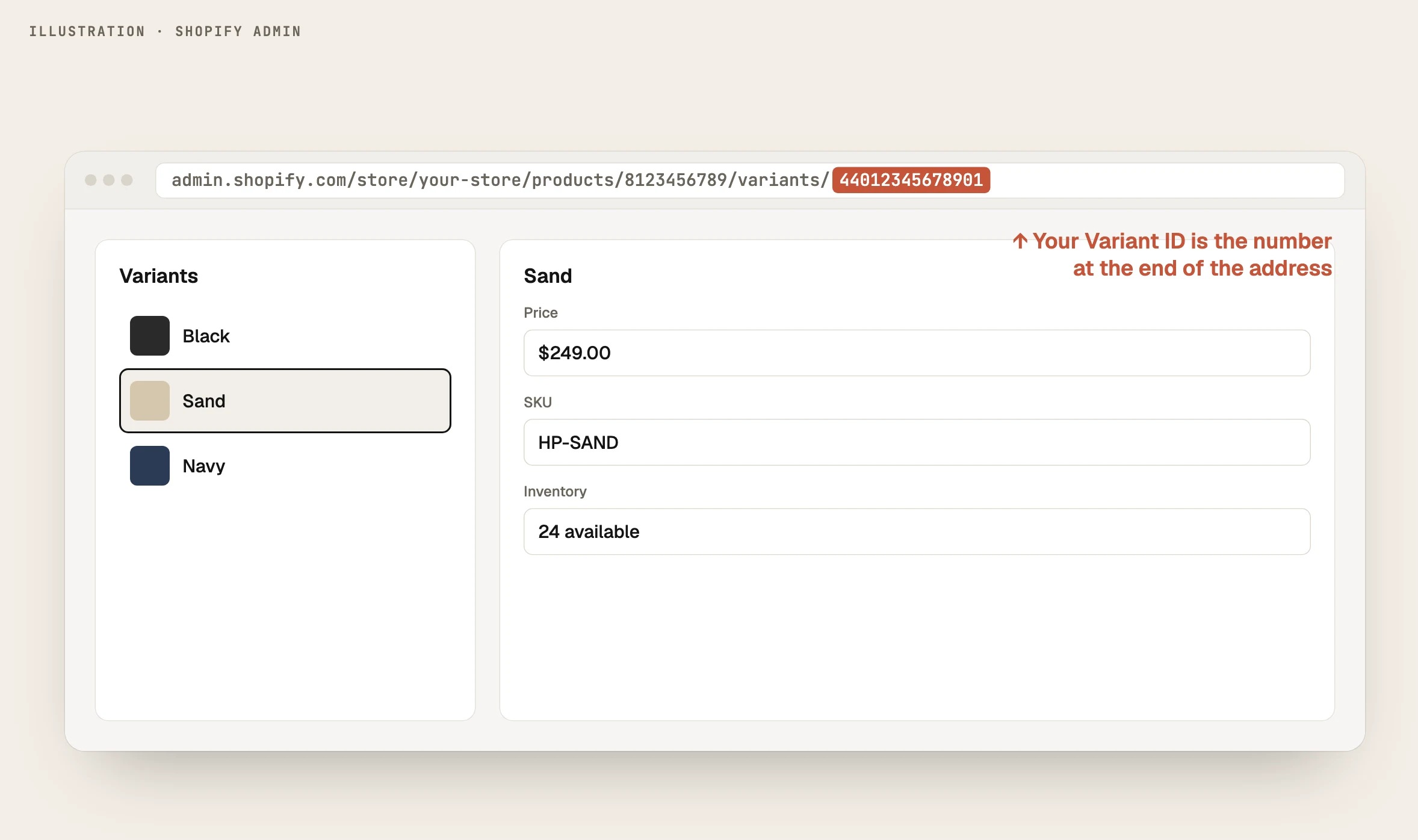
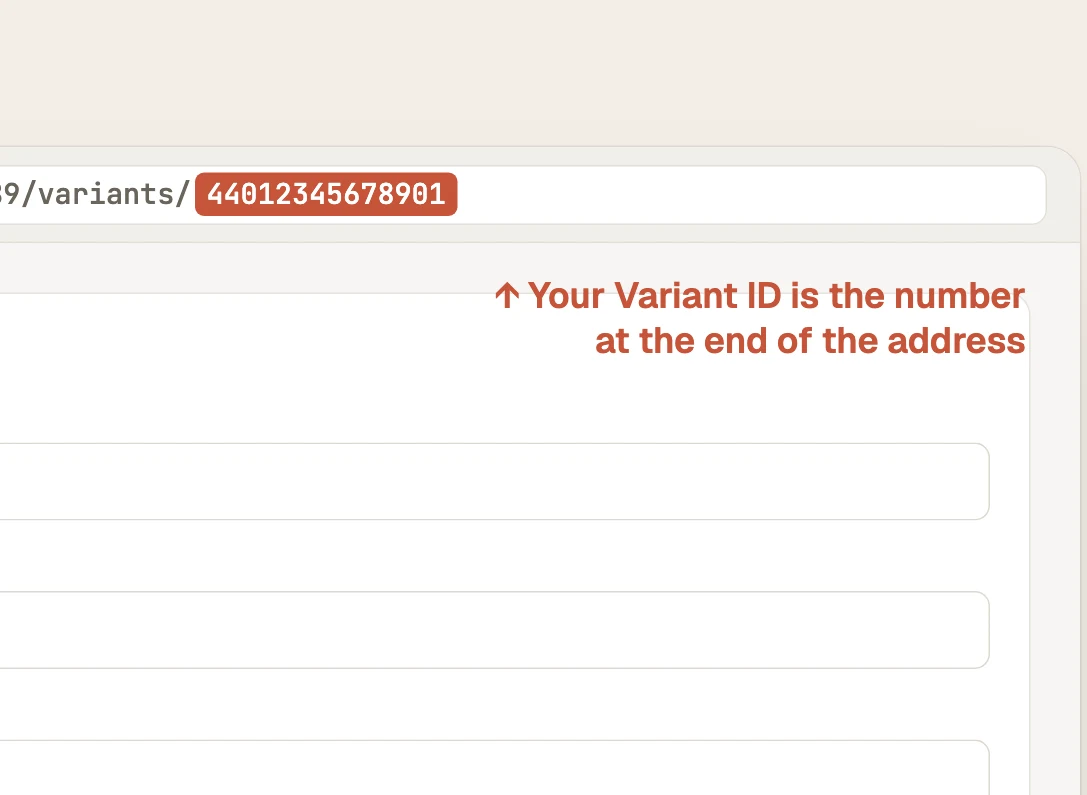
Illustration. Shopify admin: Products, then a product, then a variant.
Quicker for many products: open a product on your storefront and add .json to the address. Every variant’s id is listed.

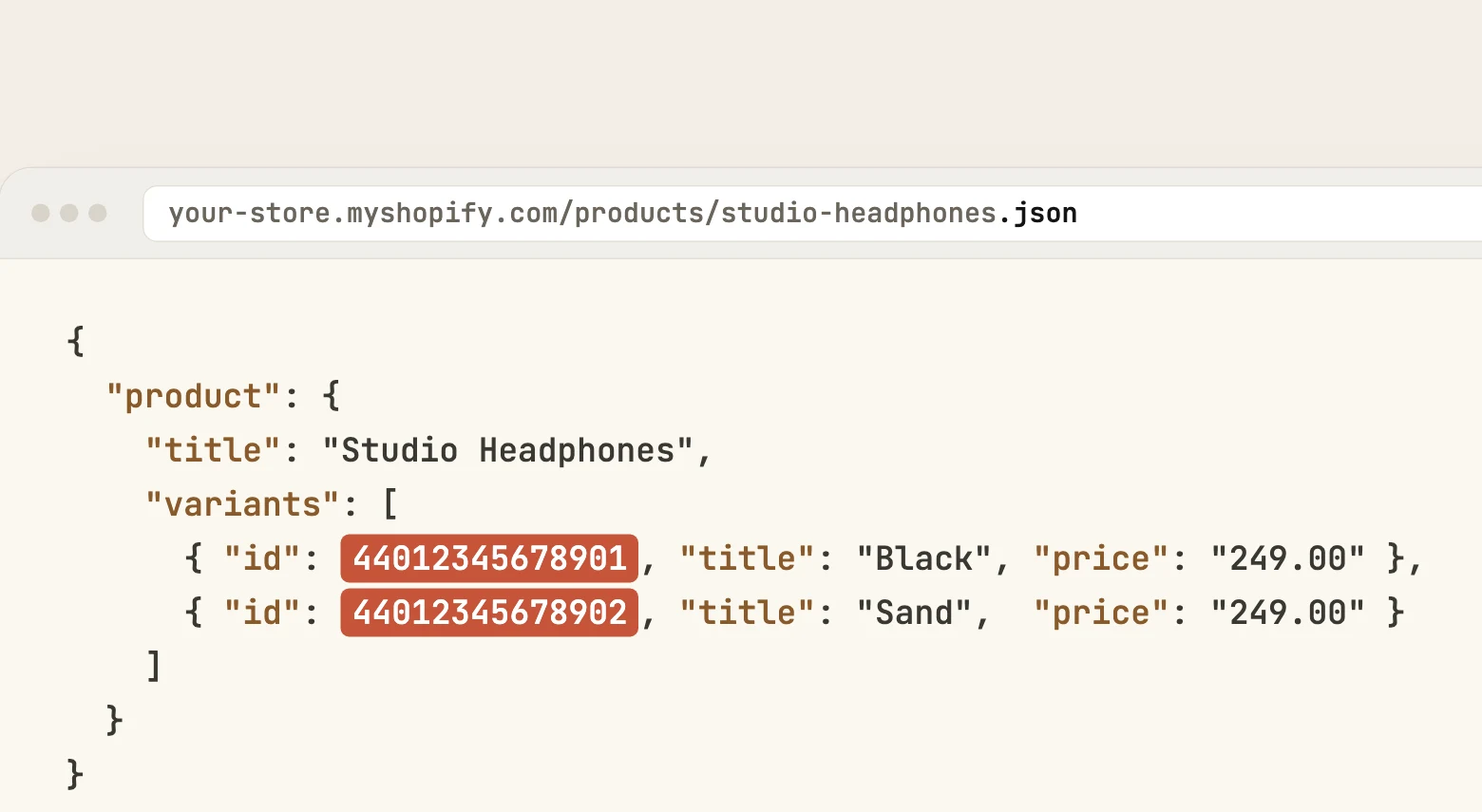
Your storefront: /products/your-product.json
Paste the number, the admin address or a gid. All three work.
Bind Add To Cart to your CMS.
Add these fields to your products collection: Name, Price (text), Image, Shopify Variant ID (text), Options (text) and Buy Link.
Put Add To Cart inside your collection list card, then bind each control to its field.
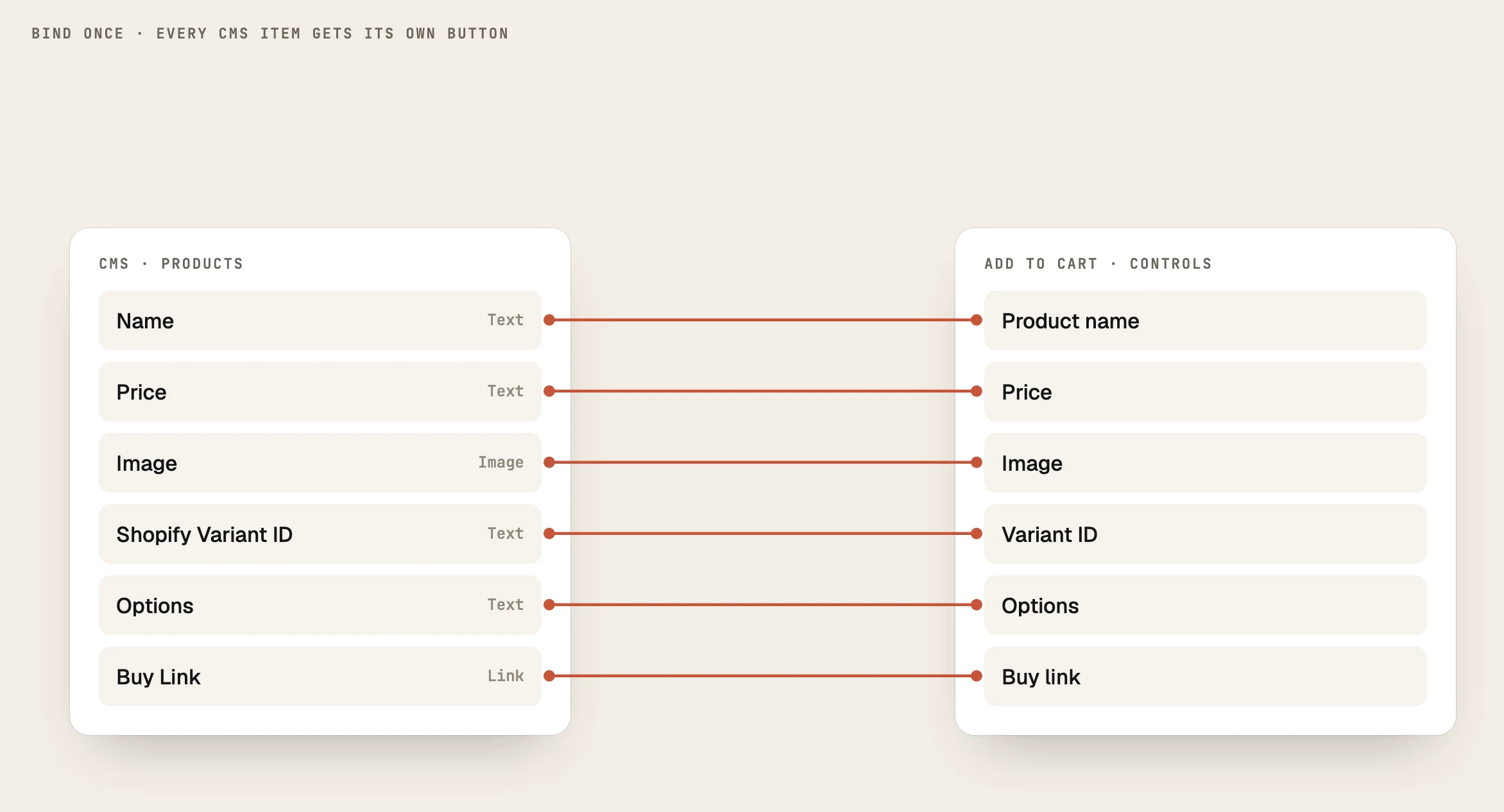
Bind once. Every item in the list gets its own working button.
Options, free shipping and discounts.
Options gives a product a picker. Write Label:VariantID, add :Price if it differs, or :sold to grey it out.
S:44012345678901, M:44012345678902:$48, L:sold
Free ship at sets the progress bar target. 0 hides it.
Discount code is applied at checkout automatically. Code field lets shoppers type their own. Codes with commas can’t be used.
Advanced, optional
Most stores never touch these.
Checkout
Send shoppers to Shopify checkout, straight to Shop Pay, or to your store’s cart page.
Language
Opens checkout in a language your store already publishes, e.g. fr. auto follows the browser.
Order note
Adds a note box. The text arrives in the order’s Notes.
After checkout
Clear empties the cart when someone leaves for checkout. Keep holds it.
Troubleshooting
If checkout misbehaves.
For developers
Add to the cart from your own code.
When Cart Drawer is on the page, window.FramerShopifyCart is ready. Or send a pb:add event; the cart listens for it.
window.FramerShopifyCart.add({
variantId: “44012345678901”,
title: “Studio Headphones”,
price: 249,
qty: 1,
image: “https://example.com/headphones.webp”,
options: { Colour: “Black” }
}, { open: true })
window.dispatchEvent(new CustomEvent(“pb:add”, {
detail: { items: [ /* same shape */ ], open: true }
}))
Also: open(), close(), items(), count(), subtotal(), checkoutUrl(), clear(). Listen for fscart:change and fscart:ready.